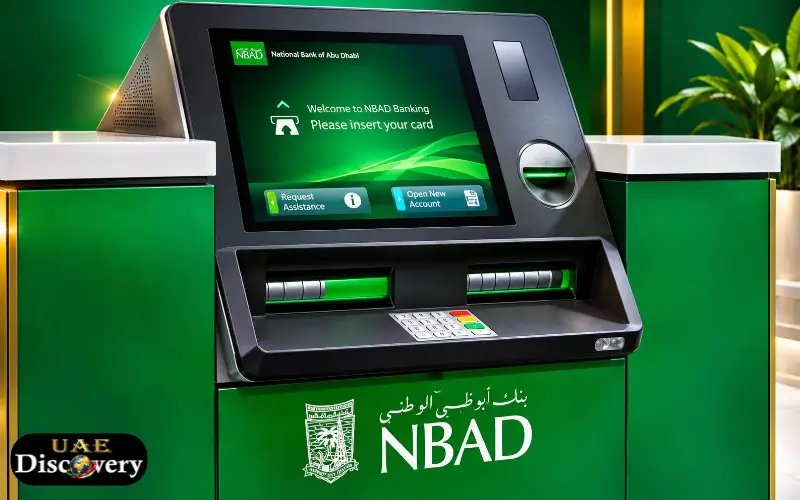
NBAD Balance Check assists UAE customers in seeing how much cash is in their bank accounts or cards. In 2017, NBAD merged with First Gulf Bank to form First Abu Dhabi Bank (FAB). Former NBAD customers are now accessing FAB services to check their balances, receive salaries and manage their money. Customers can use FAB Mobile, online banking and FAB ATMs to check their bank balance. These methods also enable them to see recent transactions and determine if money has been received.
Those whose salaries are paid on a Ratibi prepaid card may use an additional balance inquiry service. It allows them to monitor their account balance and double-check their salary payments, without going to the bank. The balancing technique relies on whether one has a regular FAB bank account or not, or has a Ratibi salary card. Once you know what you have to choose from, you will be able to know which one you need to choose and you can also manage your daily expenses accordingly.
What Happened to NBAD Bank in the UAE?
The National Bank of Abu Dhabi was one of the existing banking houses in the UAE. It was established in 1968, and offered personal banking, corporate banking, financial services and banking services to customers.
In 2017, NBAD was merged with First Gulf Bank (FGB) to become First Abu Dhabi Bank. The new bank started its operations under FAB on 2 April 2017.
This amendment is significant for the users who are still looking for NBAD banking services. While the old NBAD name can be found on older bank cards, documents and account information, customers should rely on existing FAB banking channels for their day-to-day banking needs.
This didn’t require customers to look for a different NBAD banking application. Banking services were merged with the existing banking institutions.
NBAD and FAB: Important Information
| Detail | Information |
| Former bank name | National Bank of Abu Dhabi |
| Abbreviation | NBAD |
| New bank name | First Abu Dhabi Bank |
| Abbreviation | FAB |
| Merger year | 2017 |
| Former merger partner | First Gulf Bank |
| Main country of operation | United Arab Emirates |
Former customers can continue using the applicable banking services associated with their accounts and cards. However, the available balance inquiry method depends on the specific banking product.
Different Ways to Check Your NBAD Balance
Customers have several options for checking their account or card balance. Some methods require an internet connection, while others can be used through an ATM or customer support service.
The following table provides an overview of the main options.
| Balance checking method | Suitable for |
| FAB Mobile App | Bank accounts and eligible cards |
| FAB Online Banking | Personal bank accounts and cards |
| FAB ATM | Account and card inquiries |
| Ratibi Balance Inquiry | Ratibi prepaid salary cards |
| Phone Support | Banking and card assistance |
| FAB Branch | In-person account assistance |
Before choosing a method, identify whether you have a current or savings account, debit card, credit card, or Ratibi prepaid card.
1. NBAD Balance Check Through FAB Mobile App
FAB Mobile is one of the convenient ways in which former NBAD customers can manage their banking activities. Eligible customers can use the app to view account balances, review transactions, manage their cards and enjoy other banking services.
The application is available for those who have an Android or Apple device compatible with it.
Steps to Check Your Balance Through FAB Mobile
- In the Apple App Store or Google Play Store.
- Look for the official FAB Mobile app.
- Install the application.
- Fill out the registration with the necessary customer or card information.
- Check your ID with on-screen prompts.
- Use your registered security credentials to log in.
- Click on the respective account/card section.
- See the available balance and its transactions.
Once a customer registers, he or she can view banking information without having to visit an ATM or branch.
What Information Can You View?
FAB Mobile offers access to several helpful banking tools such as:
- Balances on current and savings accounts.
- Recent account transactions.
- Debit and credit card information.
- Credit card amounts and purchases.
- History of account transactions is available for download.
- Electronic account statements.
- Card Management Services are selected.
Customers can also perform some banking processes and payments through the application.
What If You Cannot Log In?
If you don’t remember your application PIN, you can use the Forgot PIN feature on the login screen and follow the instructions for identity verification. If you still can’t log in, try checking your internet connection, updating the app and reaching out to customer support if the issue persists.
Note: Never share your banking password, PIN, or one-time password (OTP) with anyone!
2. NBAD Balance Check Through Online Banking
Customers who wish to use a computer can use FAB Internet Banking to access their banking info. It can be helpful for those who need to access their desktop computers for work or want to check out their account transactions on a larger screen.
How to Check Your Balance Online
- Log in to the official FAB Internet Banking website.
- Please enter your registered login details.
- Fill out any necessary security verification.
- Log in to your personal bank account.
- Click on the appropriate bank account or card.
- See your available balance and recent transactions.
Banking information relating to your registered profile appears on the dashboard.
Benefits of Online Banking
There are a number of benefits of online banking for normal account holders. Customers can check their finances, and they will be able to keep track of payments made and view electronic statements. This is also great for those who would like to control different banking services without having to go to a physical branch.
Customers who have not registered for online banking might have to go through the bank’s registration and identity verification procedure before gaining access to their online banking accounts.
3. Check Your Balance at a FAB ATM
Another useful feature on an ATM is to see the balance on an account or card. It’s helpful for those who don’t have mobile internet or don’t want to use it.
FAB offers an ATM network in the UAE through which eligible customers can avail various banking services.
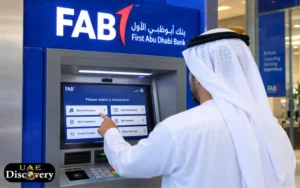
Steps to Check Your Balance at an ATM
- Find a suitable FAB ATM.
- Put in your debit card.
- Choose the desired language.
- Type in your confidential ATM PIN.
- Choose the Balance Inquiry option.
- Choose the appropriate account, if they ask you to choose.
- View the available balance on the screen.
The customer might also have the option to get a printed receipt for the transaction in the event that the ATM and the options provided it.
Can You Check Your Balance Without Visiting a Branch?
Yes. An ATM is a machine that enables a customer to view his or her bank account balance without having to contact a bank employee. You will need to have your card and correct pin to complete the process, however. If your card is damaged, blocked or machine-denied, reach out to the bank via their official support methods.
4. Ratibi Card Balance Check for Salary Payments
FAB’s prepaid payroll card, Ratibi, is designed for eligible employees who are paid by their employers. It is created to get the wages to employees earning up to AED 5000 without going for a conventional bank account.
This is especially helpful for those employees who prefer to get paid by direct deposit and spend their paychecks on necessities or cash out.
There’s an online service to check your balance if you’re a Ratibi cardholder.
How to Check Your Ratibi Card Balance Online
- Go to a browser on your cell phone or computer.
- Go to the Ratibi official Prepaid Card Balance Enquiry webpage.
- Type in the last four digits of your card number.
- Type in the Card ID that is printed on your card.
- Fill in the security check shown.
- Enter the information to display card information.
The inquiry page is created specifically for prepaid card services.
What Is the Card ID?
Card ID is an ID number that is separate from your prepaid card. It is different from the complete card number.
Users need to read the printed information on their cards and input the information on the inquiry page carefully.
If the information is not correct, the system may be unable to detect the card.
Can You Check Ratibi Balance Without a Bank Account?
Yes. The aim of Ratibi is to enable salary payment without a regular bank account for the workers.
The wages can be accessed by the eligible employees on the prepaid card and they can use the available balance for buying and withdrawing things. The card is also linked to the ATM networks of the participating banks and also facilitates electronic payments of salary under UAE Wage Protection System (WPS).
5. Check NBAD Credit Card Balance
Existing NBAD credit card customers can receive the relevant information on their NBAD credit card via FAB’s existing banking service.
The balance of a credit card does not reflect a “current” savings or current account balance. Displays the total amount consumed, payments made and remaining credit available, as appropriate for the card and account type.
How to Check Your Credit Card Balance
The following steps can be used:
- Open FAB Mobile.
- Access your signed-up account.
- Click on Select the Cards.
- Select your credit card.
- Check the outstanding balance and available credit.
- If necessary, review recent transactions and payment information.
The credit card information can also be viewed by customers in FAB Internet Banking.
What Is the Difference Between Available Credit and Outstanding Balance?
These two terms represent different aspects of a credit card account.
| Term | Meaning |
| Available credit | Amount you can still use within your credit limit |
| Outstanding balance | Amount currently owed to the bank |
| Credit limit | Maximum approved borrowing amount |
| Minimum payment | Minimum amount required by the payment due date |
Checking these details regularly helps customers monitor their spending and avoid missing payment deadlines.
6. NBAD Balance Check Through Customer Support
Customers who cannot access mobile banking, online banking, or an ATM can contact FAB customer support. The support team can guide customers regarding account access, card issues, balance inquiry methods and other banking questions.
For general personal banking assistance, the available contact numbers are:
| Contact location | Phone number |
| Within UAE | 600 52 5500 |
| Outside UAE | +971 2 681 1511 |
| Ratibi support within UAE | 600 52 2298 |
| Ratibi support outside UAE | +971 2 499 6279 |
Ratibi cardholders should use the dedicated support number for prepaid card-related questions.
Before contacting customer support, keep your relevant account or card information available for identity verification. Never disclose your PIN or OTP to anyone.
Why Is Your NBAD Balance Not Showing?
Sometimes, customers may encounter issues while accessing their account or card details. These can occur due to wrong credentials, technical glitches, card limitations and temporary service downtime.
Knowing what may have caused the issue can assist you in determining what to do next.
Incorrect Login Information
If you enter the wrong username, password or application PIN, you may not be able to access your banking dashboard. Be sure to verify credentials thoroughly and, if you have forgotten your login information, use the official credential retrieval process.
Wrong Ratibi Card Details
Inquiries regarding the use of a card with incorrect information may be unsuccessful to Ratibi customers. Make sure the last 4 digits of your card number are correct and that the Card ID is in the correct box.
Internet Connection Problems
You need to have an internet connection to use the mobile application or online banking. If it doesn’t load, switch between Wi-Fi and mobile data or check the connection and try again.
Card Expiry or Blocking
An expired, damaged, or blocked card may prevent certain banking activities. Call customer service to verify the card status and to find out if a different action or a replacement card is needed.
Temporary Banking Service Interruption
Digital banking services are sometimes available on a limited basis because of maintenance or technical problems. Obtain bank service status information and attempt later if not available.
Salary Has Not Been Credited
If your salary has not been transferred by your employer, the amount you expect may not be listed on your card balance. Ask the payroll department at work to verify the status of pay. Additionally, Ratibi’s customer service team is available to assist customers.
What to Do If Your Salary Is Missing From Your Ratibi Card?
If you are an employee receiving your salary via Ratibi, you may find that your expected salary has not been received. Before assuming that the card is broken, make sure that the paycheck has been processed by the employer.
These are some of the steps that can be taken:
- Use the inquiry service to get your prepaid card balance.
- Check any salary credit notifications.
- Check with your employer about when you’ll receive the salary.
- Contact payroll to find out if the salary file has been run.
- If the employer has confirmed the payment, but the amount is still missing, then contact Ratibi support.
Remember, the card balance does not show pending transactions. If a salary is paid, it is not necessarily mean that the salary is already credited.
Important Security Tips When Checking Your Bank Balance
Whenever you access personal financial information online or at an ATM, banking security is key.
It is imperative that customers take some basic steps to safeguard their funds and account information.
- Use the official FAB Mobile Application.
- Use the proper banking site to access online banking.
- Don’t tell anyone your ATM PIN.
- Avoid sharing OTP which is received through SMS.
- Be careful when filling in your banking information on sites you don’t know.
- Never store passwords on shared computers.
- Ensure your smartphone and banking app are up-to-date.
- Report any lost or stolen cards as soon as possible.
- Check account transactions regularly.
Sometimes fraudulent messages may appear to be from a bank and ask for personal information. Purchasers should not click on any suspicious links or give personal information via SMS, email or WhatsApp:
If the message you receive is unusual, reach out to FAB’s official customer support.
Which NBAD Balance Checking Method Is Best?
This will vary based on your banking product and access available. FAB Mobile is great for people with regular bank accounts since users can access their account balances, card information and transaction data all in one spot. Internet Banking and ATMs are two options for customers who want to access the bank from their desks.
Ratibi cardholders should use the salary card inquiry service provided on the prepaid card, and not assume the normal bank account process applies to them.
| Customer type | Recommended method |
| Former NBAD account holder | FAB Mobile |
| FAB savings account holder | FAB Mobile or Internet Banking |
| Debit card customer | FAB Mobile or ATM |
| Credit card customer | FAB Mobile or Internet Banking |
| Ratibi salary cardholder | Prepaid Card Balance Enquiry |
| Customer with login problems | FAB Customer Support |
Choosing the correct method saves time and helps avoid confusion between different banking products.
Read Also: FAB Balance Check
Conclusion
In 2017, NBAD and First Gulf Bank merged, and NBAD Balance Check services are now available at First Abu Dhabi Bank. Previously, customers of NBAD could get their account information and track their financial matters from their FAB Mobile, Internet Banking and ATMs. The staff on salary paid through Ratibi can verify the balance on their separate prepaid card inquiry facility by providing details from their card. For those who pay with credit cards, they can also check the balance on outstanding bills and credit limits by using the bank’s digital services.
When you choose the right one based on your account/card type, it is easier. Taking regular balances, making careful accounting of salary payments and taking precautions when dealing with banking are helpful ways for UAE residents to run their finances more efficiently.
Read Also: Nol Card Balance Check
Frequently Asked Questions About NBAD Balance Check
How can I check my NBAD balance online?
Former NBAD accounts can be accessed via FAB Mobile or FAB Internet Banking. To check available balance, log in and choose your account.
Is NBAD now FAB Bank?
Yes. In 2017, NBAD was merged with First Gulf Bank in order to create First Abu Dhabi Bank (FAB).
How can I check my Ratibi card balance?
Access the Ratibi Prepaid Card Balance Enquiry page. Type in the last four digits of the card number, Card ID and card security verification information.
Can I check my NBAD balance through an ATM?
Yes. Insert your ATM card into an eligible FAB ATM and then enter your PIN and choose Balance Inquiry.
Can I check my Ratibi balance without a bank account?
Yes. Ratibi is a prepaid payroll card that enables eligible employees to enjoy their salaries without opening a bank account.
What is the FAB customer care number in the UAE?
The overall FAB Customer Support Number is 600 52 5500. Ratibi cardholders can contact 600 52 2298.
Can I check my NBAD credit card balance online?
Yes. All NBAD credit card holders can get their relevant credit card details from FAB Mobile/Internet Banking.
Why is my Ratibi balance not showing?
The incorrect details on the card, incorrect Card ID, technical difficulties, or a payment of salary not processed could result in an unsuccessful inquiry.
Can I check my FAB account balance from outside the UAE?
Yes. Customers can use FAB Mobile and Internet Banking from outside their country with the help of an Internet connection and security verification.
Is the NBAD mobile banking application still available?
Customers are advised to utilise the existing FAB Mobile application for supported personal banking services, instead of looking for an NBAD banking application.
How do I know if my salary has been credited to my Ratibi card?
Check the amount on the prepaid card balance inquiry service. If the service is activated, you can also view salary credit notifications.
Can I check my NBAD balance without an ATM card?
Yes. If you have registered digital banking access, you can find out your eligible account balance digitally via FAB Mobile or Internet Banking without an ATM card.