
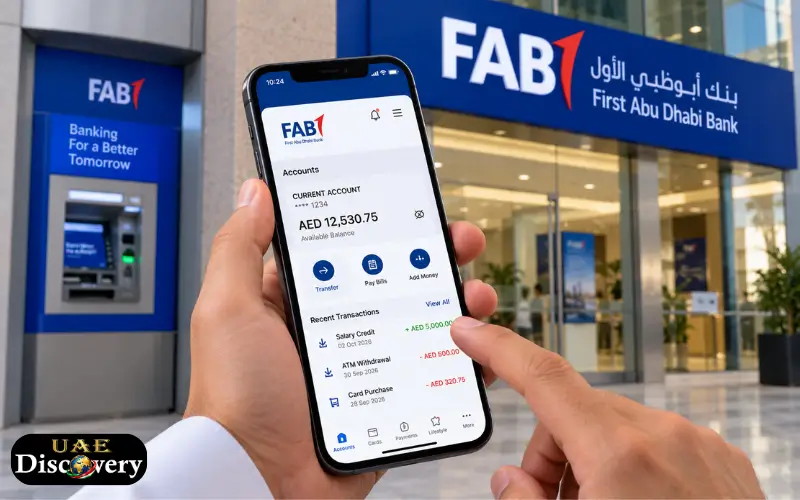
A bank balance shows how much money is available in your account or card, and in the UAE, customers can use various methods to see their account information without having to go to a branch themselves.
A balance check for FAB can be carried out via FAB Mobile, FAB Internet Banking, an ATM, or other official banking services, depending on the type of account or card you possess. FAB Mobile gives you the ability to see your account balances and transaction details, and Internet Banking also allows access to information regarding your account and card. The service also includes information on prepaid cards, Ratibi cards, enquiries about your ATM balance, your transaction history, common login problems, and what you should do if your balance does not appear correctly.
What Is a FAB Balance Check?
To carry out a balance check is just to look at the amount currently available in your FAB account or card. The kind of information you see will vary according to the product you are using. If you have a regular current or savings account, you will see an account balance and a record of transactions. With a credit card, you will see a balance and transaction details relating to the card. Prepaid cards have their own available balance and enquiry facilities.
FAB offers digital banking tools which enable customers to handle these services using either their phone or their computer. According to its official service-status page, account balances and transaction history are available via both FAB Mobile and FAB Internet Banking; this is helpful when you want to check your funds before carrying out a payment, a transfer, a withdrawal, or some other transaction.
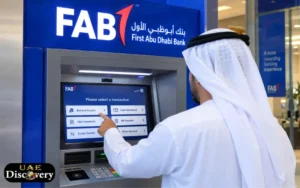
How to Check FAB Account Balance
For most customers, FAB Mobile is the simplest option. Once you have signed up for the app and logged in securely, you will be able to see your account balance from the banking interface. FAB says that customers can view their account balances and transaction details using FAB Mobile. Another choice is FAB Internet Banking; the official FAB service page states that account balances and transaction history are available via Internet Banking.
If you already have access to one of the various digital channels, you normally won’t have to go to a branch in order to enquire about your basic account balance.
Basic Steps
- Open FAB Mobile or FAB Internet Banking.
- Log in using the banking details with which you registered.
- Select the relevant account.
- See your current balance and recent transactions.
- If you need further details, please go to the transaction section.
Since the screen layout may be altered following updates to the app or website, it is advisable to refer to the current settings available within the official FAB service.
FAB Mobile Balance Check
FAB Mobile is the official mobile banking app of First Abu Dhabi Bank and is available on both Apple and Android devices, with support for English and Arabic. It is one of the most convenient ways for customers who would like to carry out a quick FAB Balance Check since the app can be used from almost anywhere as long as there is a suitable internet connection.
The app goes beyond just showing your balance. According to FAB, customers are able to see transaction details, download their transaction history, access electronic statements, find their IBAN, search for transactions, manage their cards, make transfers, pay their bills, and file service requests. The app thus proves to be useful for those who want to manage their banking rather than merely checking one figure.
What You Can See in FAB Mobile
Depending on your FAB products, the app can provide access to:
- Account balance
- Transaction details
- Transaction history
- E-statements
- Card information
- IBAN details
- Transfers
- Bill payments
- Card controls
- Service requests
FAB also states that the new features of its app include smarter transaction information, spending insights, cash flow information, and real-time alerts.
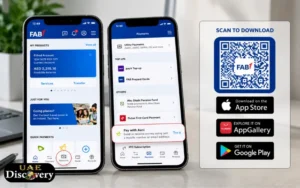
How to Register for FAB Mobile
Current FAB customers have the option of registering for FAB Mobile and using it for their daily banking. FAB states that existing customers will need their Customer Number, debit card number, or credit card number, together with a compatible smartphone and a secure internet connection. When carrying out the registration process, the present security requirements should always be followed, as demonstrated by FAB during the registration procedure.
New customers might also be able to access eligible FAB products via the app. FAB says that customers can apply for certain products through FAB Mobile by using their Emirates ID and going through the necessary security verification.
FAB Internet Banking Balance Check
People who prefer to use a computer can use FAB Internet Banking; the official FAB service status page states that Internet Banking provides account balance and transaction history, as well as listing credit-card balance and transaction information, card e-statements, bill payments, transfers, and other services.
To carry out a FAB Balance Check using online banking, you should log in to the official FAB Internet Banking service and choose the account or card that you would like to check. This option is useful when you are already using a desktop or laptop and do not wish to use the mobile app.
What If You Cannot Log In?
The fact that you’re having trouble logging in doesn’t mean there’s an issue with your account balance. Start by checking your internet connection. When using the mobile app, ensure that it is up to date. FAB also recommends that customers who are unable to access the app should try updating it or attempt again at a later time. If the problem persists, it is better to get in touch with FAB support.
Do not give your password, PIN, OTP, or any other security information to anyone who says they are helping you.
FAB ATM Balance Enquiry
Customers can also use an ATM if they wish to check the balance of their FAB debit card, and the bank’s current services and pricing information clearly includes ATM balance enquiry transactions. The balance enquiry service at a FAB ATM is free, though charges may apply when using non-FAB ATMs. Therefore, it makes sense to use a FAB ATM if you are already close to one.
Basic ATM Method
The exact ATM screen can vary, but the general process is straightforward:
- Put your FAB card into the ATM or use it there.
- Enter your card PIN in a secure manner.
- Choose the balance enquiry option.
- Look at the balance displayed on the screen.
- If the machine provides a receipt and you need to keep a record, take the receipt.
Don’t let anyone else enter your PIN for you and cover the keypad when entering sensitive information.
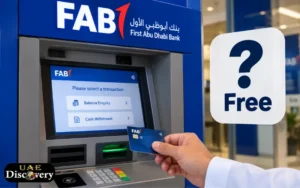
Is FAB ATM Balance Enquiry Free?
In FAB’s service and price guide, the balance enquiry at a FAB ATM is still shown as being free; the same guide also includes the charges applicable to balance enquiries at ATMs of other banks in the UAE and the GCC. Since ATM fees can change, customers should look at the most recent FAB fee schedule before depending on an old fee amount. It might therefore be the easier choice to use a FAB ATM if you are near one.
FAB Account Balance and Transaction History
The amount of money shown in the account can be found by checking your balance, but your transaction history gives more useful information.
For example, you may want to confirm whether:
- Your salary has been credited
- A transfer has arrived
- A payment has been deducted
- An ATM withdrawal was completed
- A card purchase was posted
- A previous transaction was reversed
With FAB Mobile, customers can view the details of their transactions and download their transaction history. The service also includes search and filtering options for transactions, which can help you understand the reason why your available balance has changed.
Why Your Available Balance May Look Different
The amount you expect may differ from the amount currently displayed. A card payment might still be processed. Additionally, a transaction can show up as pending or held before it is completely posted. FAB states that some recent payments may display as “In Progress” for credit cards or as an “Amount on hold” for debit cards until the merchant has confirmed the transaction.
That is why it is more useful to check the details of a transaction than to look only at the balance. You should get in touch with FAB through an official channel as soon as possible if you spot a transaction that you do not recognise.
FAB Credit Card Balance Check
A balance on a credit card is not the same as the balance in a current or savings account. Through its digital banking services, FAB enables its customers to see information regarding their credit card balance and transactions. On the current service-status page, this feature is listed for both FAB Mobile and Internet Banking. It is therefore possible to use the official digital banking service to check your card details instead of considering the credit card as if it were a regular bank account.
The app also includes further features for managing your card, such as card controls, spending limits, the option to temporarily freeze the card, transaction details, e-statements, and payment-related services.
FAB Prepaid Card Balance
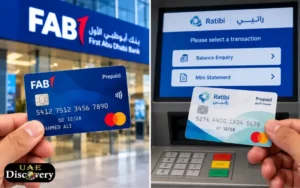
A prepaid card is not the same as a standard FAB current or savings account; FAB has several prepaid-card products for various purposes, and the information available regarding its current prepaid card includes choices such as Ratibi and other prepaid solutions.
Since these products function in a different way, customers should use the balance enquiry method that is provided for their specific type of prepaid card. For instance, FAB offers an online balance enquiry facility for its Payment Prepaid Card. It is important to do this since the usual method for finding an account balance may not work for all prepaid cards.
Ratibi Prepaid Card Balance Enquiry
Ratibi is a prepaid card solution for salary payments provided by FAB to qualified employees. According to FAB, the Ratibi card enables employees to get their salary onto a card even if they do not have a bank account, and the present product information includes a particular option for checking the balance for current cardholders. Hence, Ratibi is not the same as a conventional FAB bank account.
When you have a Ratibi card, it is better to use the official Ratibi balance-enquiry service than to attempt to use an ordinary account-balance method.
FAB also offers dedicated customer support for Ratibi. Currently, its official contact page gives 600 522 298 for Ratibi customers in the UAE and +971 2 499 6279 for those calling from abroad.
Can You Check FAB Prepaid Balance Online?
Yes, however, the specific method varies according to the type of prepaid card; FAB offers an online facility for checking the balance on its Payment Prepaid Card, whereas Ratibi has its own way of checking the balance. That is why customers should first work out the name or kind of their card.
In the case where your card is a salary card, a payroll card, a corporate prepaid card, or some other special type of card, the right enquiry service will be different from that used for a personal FAB account.
What Can FAB Mobile Do Besides Balance Checks?
FAB Mobile offers far more than just the ability to check one’s balance. It allows customers to manage their accounts and cards, see the details of their transactions, download their statements, make transfers, pay their bills, manage card settings, update some of their personal information, find branches and ATMs, and submit service requests.
The application also includes features like fingerprint or Face ID login, subject to the device and the current capabilities of the app. FAB offers the choice of both English and Arabic. For UAE customers who frequently use FAB, having the official app available can make daily banking more convenient.
What to Do If Your FAB Balance Is Not Showing
There are a number of possible causes if the balance is missing or not as expected. First of all, verify that you are looking at the right account or card. Next, look at your recent transactions to see if there are any pending payments, transfers, or other movements. If you are using FAB Mobile, check that your internet connection is working and that the app is up to date. FAB recommends that customers who are having access problems update the app or try again at a later time.
If the problem persists, you should get in touch with FAB via an official support channel. Do not use phone numbers or links from untrusted websites, messages on social media, or unofficial postings. Banking information must always be obtained directly from FAB.
What to Do If You See an Unknown Transaction
Any transaction that you do not recognise should not be ignored. Begin by checking the details of the transaction to confirm that it isn’t one that you made before or a payment from a merchant that appears under a different name. FAB Mobile offers clearer transaction information, including details about the merchant, the categories, and search facilities.
If you still can’t identify the transaction, it is important that you get in touch with FAB as quickly as possible via one of its official channels. FAB also allows you to set up card controls through its mobile app, giving you the option to freeze or manage your cards. Do not provide your one-time password, PIN, password, or full card security details to anyone who contacts you unexpectedly.
FAB Customer Support in the UAE
Customers requiring assistance with their account, card, mobile banking, or other services can make use of FAB’s official support services. The company has a specific contact and support page which includes customer service information, frequently asked questions, details about branches and ATMs, as well as specialised telephone numbers for services like Ratibi. Regarding problems with access to the mobile app, FAB provides 600 525 500 for calls made within the UAE and +971 (2) 681 1511 for those calling from abroad on its mobile app support page.
It’s advisable to check the official FAB website for the most up-to-date bank contact information and service options before making the call.

FAB Balance Check Methods at a Glance
Different customers may prefer different methods.
| Method | Best for | Main information |
| FAB Mobile | Everyday banking | Account balance, transactions, cards and more |
| FAB Internet Banking | Computer users | Account and card information |
| FAB ATM | Quick physical check | Balance enquiry and other ATM services |
| Prepaid balance service | Prepaid-card holders | Available prepaid balance |
| Ratibi enquiry | Ratibi cardholders | Ratibi card balance |
| FAB Support | Problems or questions | Help with banking services |
The right option depends on whether you have a normal bank account, credit card, debit card, or prepaid card.
Important Security Tips for FAB Customers
It’s easy to check your balance, but it’s just as important to keep banking secure.
Use the official FAB website, the official FAB mobile application, or a reliable FAB ATM. Do not input your banking details on websites that are sent via unknown messages.
Never share your:
- Online banking password
- Mobile banking PIN
- ATM PIN
- OTP
- Card security information
- Emirates ID details with an unknown person
FAB also cautions customers against fake investment schemes and tells them to check the information by using official communication channels. If anyone contacts you and asks you to give them your OTP or password to “correct” your balance, card, or account, then do not provide it.
Conclusions:
It is not necessary in all cases to go to a branch when carrying out a FAB Balance Check. Personal banking customers generally have the option of viewing information about their accounts and transactions through FAB Mobile and Internet Banking, and can also use FAB ATMs to obtain a physical balance enquiry. However, prepaid and Ratibi cardholders should use the balance service that has been designed for their particular type of card since these products may have different ways of enabling an enquiry.
If you have any problems with your account, receive an unexpected transaction, experience difficulties logging in, or have a question about your card, you should use the official FAB support instead of depending on information from unknown websites or social media posts. You can also make banking more secure and easier by keeping your banking app up to date, regularly checking your transactions, and protecting both your PIN and your OTP.
Read Also: Fazaa Card in UAE: Benefits, Eligibility, Application and More
Frequently Asked Questions
How can I check my FAB account balance?
You are able to see your account balance using FAB Mobile or FAB Internet Banking, and FAB also offers the facility of enquiring about your balance through its ATMs.
Can I check my FAB balance on my phone?
Correct, the FAB Mobile service enables customers to see their account balances and transaction details via the official app.
How do I check my FAB balance without visiting a branch?
The main digital services are FAB Mobile and Internet Banking, and you can use a FAB ATM provided that you have the appropriate card.
Can I check my FAB account balance online?
Yes, FAB Internet Banking currently allows you to view your account balance and transaction history.
Is FAB ATM balance enquiry free?
The current service and price list of FAB states that inquiries about your balance at FAB ATMs are free, but there may be charges at certain non-FAB ATMs.
How can I check my FAB prepaid card balance?
The method involves the use of a prepaid card, and FAB offers particular online facilities for checking the balance of some prepaid cards.
How can I check my Ratibi card balance?
There is a special balance enquiry option available to current Ratibi cardholders, and FAB also offers dedicated assistance for Ratibi customers who require help.
Can I see my FAB transaction history?
Yes, both FAB Mobile and Internet Banking offer access to the history of account transactions, and FAB Mobile also includes facilities for searching and reviewing those transactions.
Why is my FAB balance different from what I expected?
A payment or card transaction made recently could still be being processed or held before it is finally posted. Please check the transaction details to see if there is any pending activity.
What should I do if I cannot log in to FAB Mobile?
First, make sure your internet connection is working and that you have the latest version of the app. FAB recommends that customers who are experiencing access problems should update the app or try again at a later time. If the problem persists, they should get in touch with FAB via an official support channel.
Can I use FAB Mobile outside the UAE?
Correct, FAB states that its customers can use FAB Mobile outside the UAE via Wi-Fi or by means of appropriate roaming data.
Can I check my credit card balance through FAB Mobile?
Correct, since FAB includes information about credit-card balances and transactions as part of its mobile banking services.
Disclaimer
The article provides general information to FAB customers in the UAE; however, banking services, app features, fees, contact details, and procedures may change. It is essential that you check any important information on the official First Abu Dhabi Bank website or app before taking any action.